CRM
Reports — Stats
See key performance metrics and trends across all your channels, including total conversations, messages, and the split between AI and human-handled sessions.
This is where you can see how your bot is performing across all your channels. It gives you a clear overview of your conversation activity so you can understand what's happening at a glance.
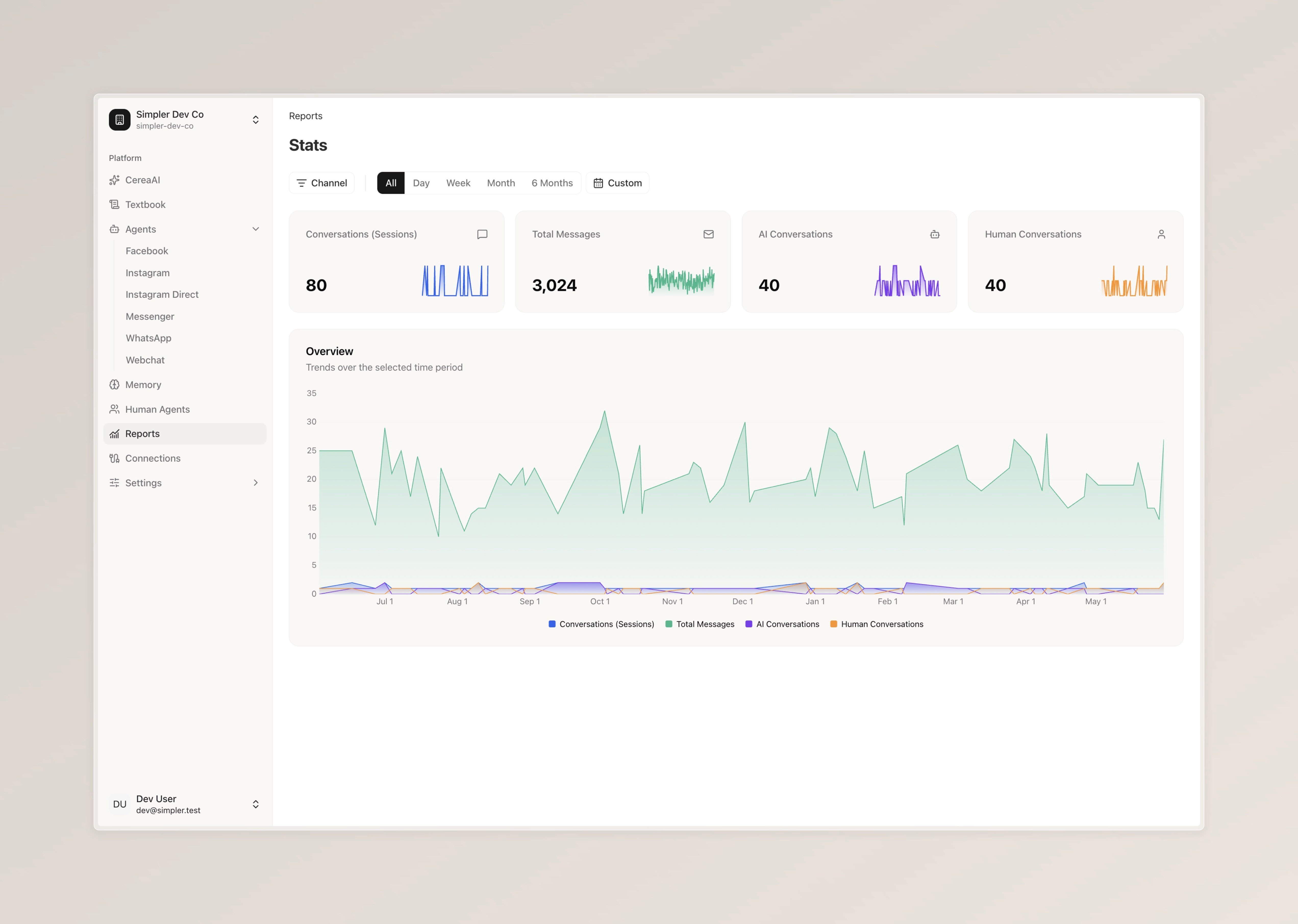
At the top, you'll see four key numbers. "Conversations (Sessions)" shows how many individual conversations have taken place. "Total Messages" is the total number of messages exchanged across all conversations. "AI Conversations" tells you how many conversations were handled entirely by the bot. "Human Conversations" shows how many required a human agent to step in.
Each metric also includes a small trend line so you can quickly see whether things are going up or down.
You can filter everything by time period using the options at the top — Day, Week, Month, 6 Months, or a Custom range. You can also filter by specific channel and page if you'd like to see how a particular platform is performing on its own.
Follow us on Instagram
Any other questions? Get in touch