CRM
Chats
View all conversations happening through Messenger, Instagram Direct, WhatsApp, and Webchat in one place.
This is where you'll find all the conversations happening through your connected messaging channels. Whether someone writes to you on Messenger, Instagram Direct, WhatsApp, or through the chat widget on your website — every conversation appears here.
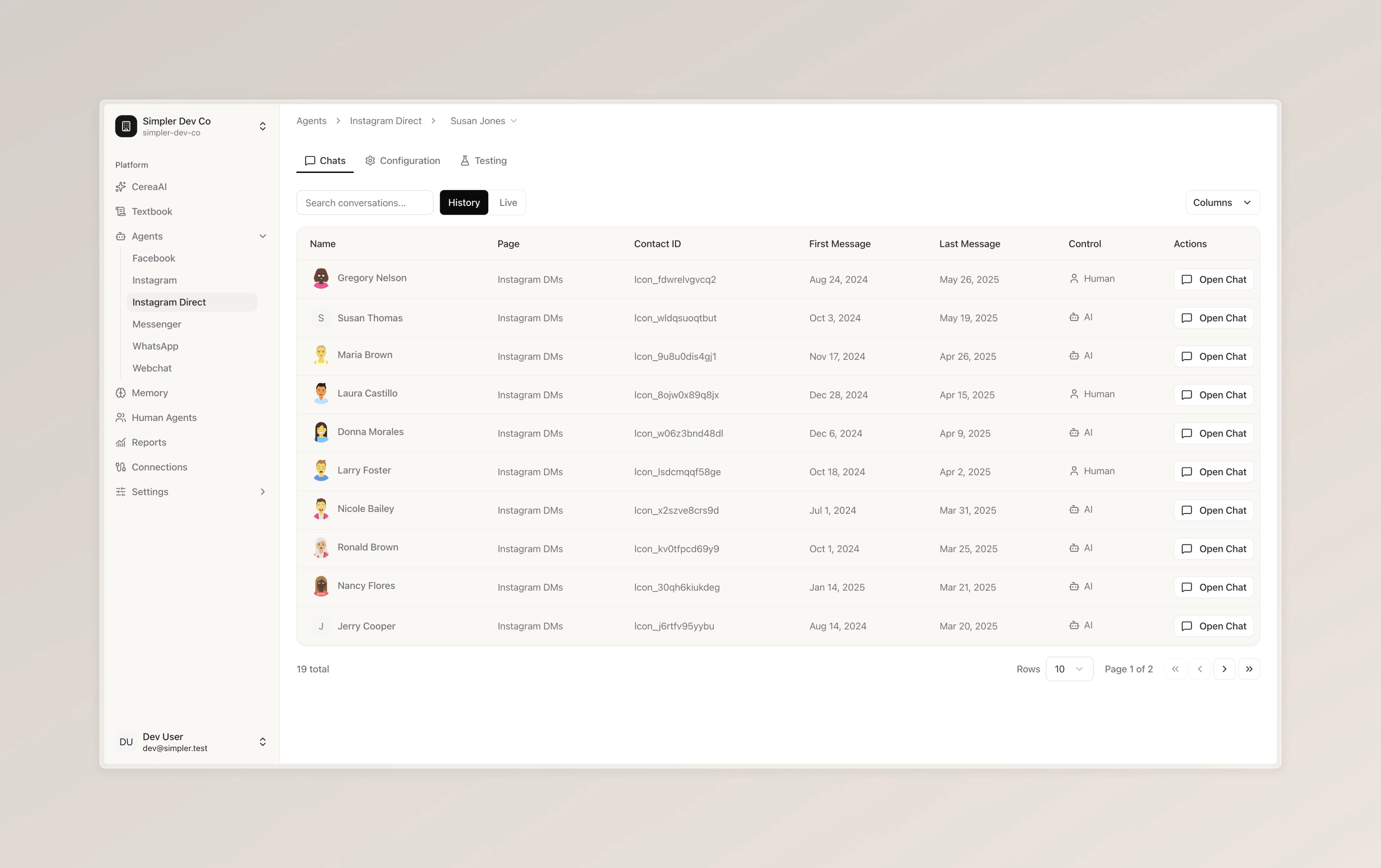
You can switch between two views at the top. "History" shows all past conversations, and "Live" shows conversations that are currently active.
Each conversation in the list shows the customer's name, which page or channel it came from, their contact ID, when the first and last messages were sent, and who's currently in control of the conversation — either the AI or a human agent.
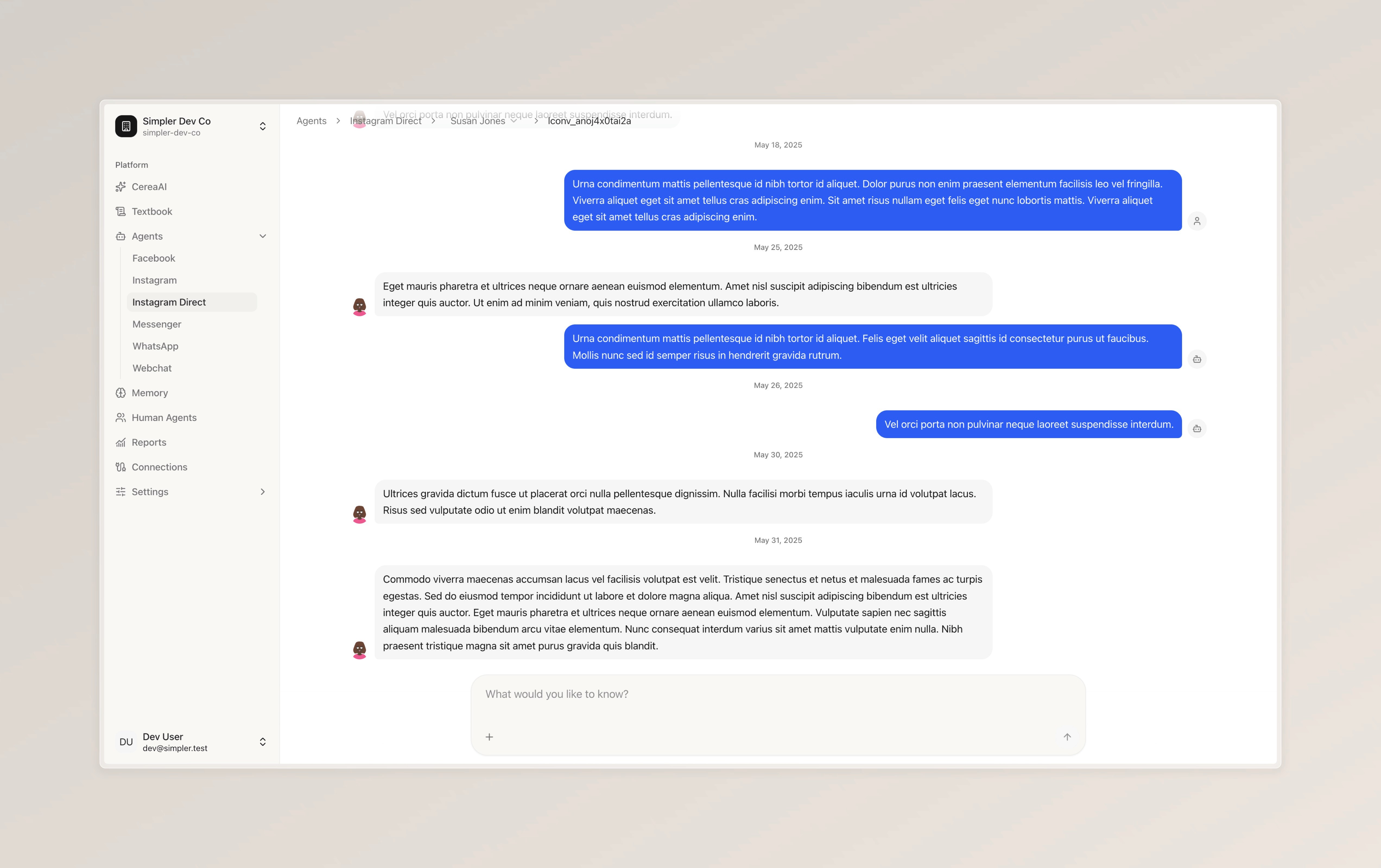
If you'd like to read the full conversation, simply click "Open Chat" on the right side. This will open the complete chat history, where you can see everything — the customer's messages, the bot's replies, and any messages sent by a human agent. You can also search for a specific conversation using the search bar at the top.
Follow us on Instagram
Any other questions? Get in touch