CRM
Pending Customers
View conversations where the bot has stepped aside and is waiting for a human agent to take over.
This is where conversations land when the bot has decided it needs a real person to step in. When the bot can't fully resolve a customer's issue, it automatically turns itself off for that conversation and moves it here.
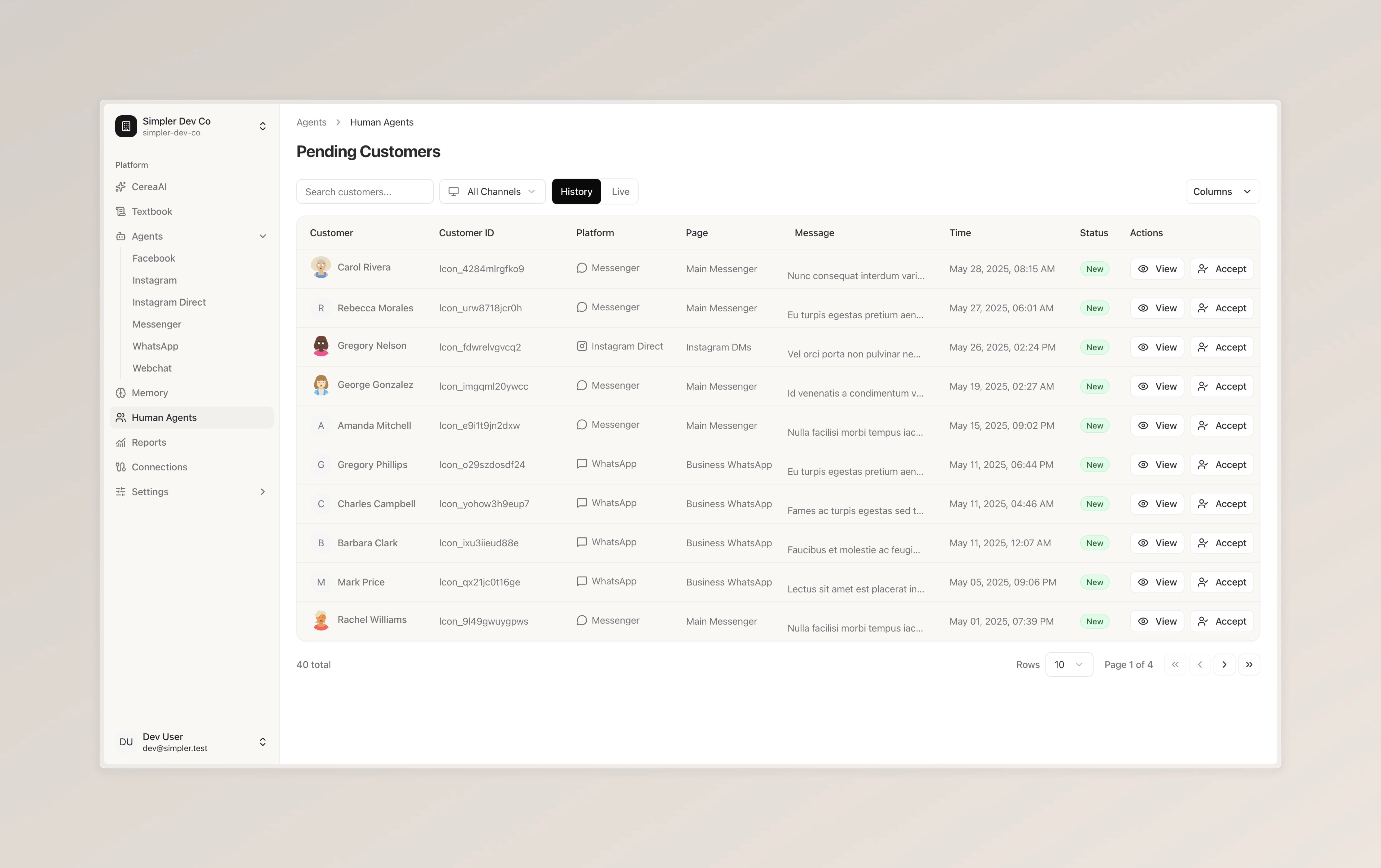
You can switch between "History" and "Live" at the top to see past pending conversations or ones that are currently waiting. You can also filter by channel and search for specific customers using the search bar.
From here, you have two options. Click "View" to read the full conversation and see what the customer needs. When you're ready to take over, click "Accept" — this assigns the conversation to you and moves it to your active takeovers, where you can start responding directly to the customer.
Follow us on Instagram
Any other questions? Get in touch